• Project Management, Take Two

    by  • August 6, 2012 • Common, Developers, KDE • 1 Comment

    After a bit toying around, the first version of project management plugin has landed in the master branch of the kate.git.

    First time I developed a new feature in a feature-clone in my scratch space on git.kde.org. Very cool, KDE sysadmins did a GREAT job with that stuff: easy to setup and use ;)

    Now, people wanting to try out that, just clone our kate.git and compile the master branch.

    Example project is toplevel in kate.git: kate.kateproject

    To load it, open Kate, activate the “Project Plugin” and hit the “Open Project” button in your main menu bar and go to the “Projects” tool view on the left.

    No, it won’t auto-raise atm and yeah, the button looks awful :P

    And here the mandatory screenshot:
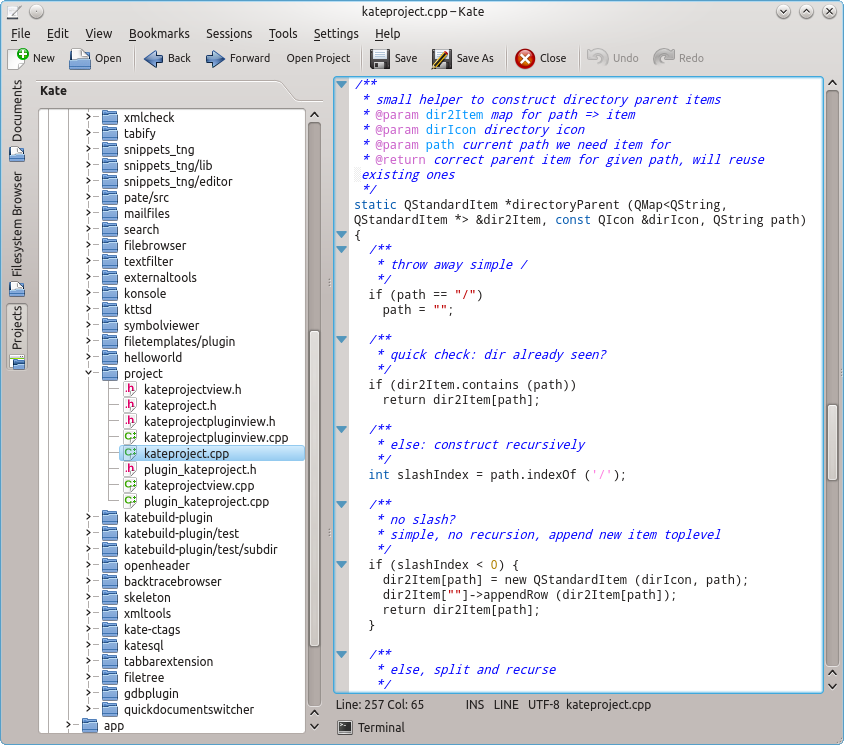
    It still is not much, but I am happy with the result as this is first time since long for me to code something with model-view and Qt.

    About

    Dr.-Ing. Christoph Cullmann is a Senior Software Engineer at AbsInt Angewandte Informatik GmbH. His work is focused on static analysis of both binary and source programs and the WCET analysis of embedded systems. In his spare time, he works on the KDE project and maintains the Kate editor application and component.

    http://cullmann.io/

    One Response to Project Management, Take Two

    1. August 7, 2012 at 22:28

      Just little note: the “open project” button is gone in master, Kate will just open the next .kateproject file found on the path for any opened document. That way the right projects are automatically opened (if the plugin is loaded).
      Will play bit more with that and guess need to replace the QToolBox, it doesn’t scale with more than 2-3 open projects.