• Color Settings

    by  • March 1, 2012 • Developers, Users • 4 Comments

    This week, Kate Part received an update of the “Colors” tab in the settings dialog, available in KDE 4.9. The major features include

    • configurable colors: search highlight, replace highlight and modified line colors – finally :-)
    • possibility to always use colors from the KDE color scheme.
    • the implementation works in a way that at some point, the host application (KDevelop, Kile, …) can put items into this list.

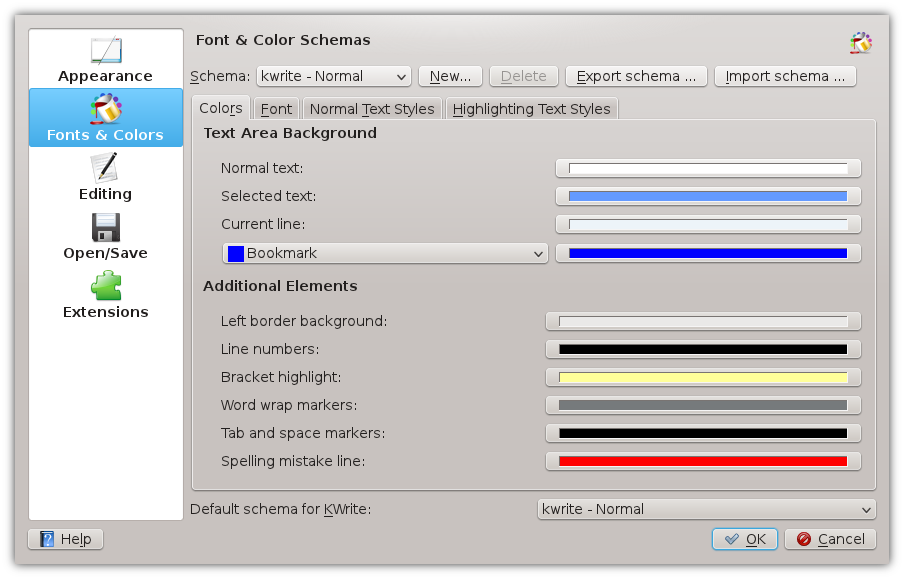
    Here are screenshots of the new (top) and the old (bottom) color tab:
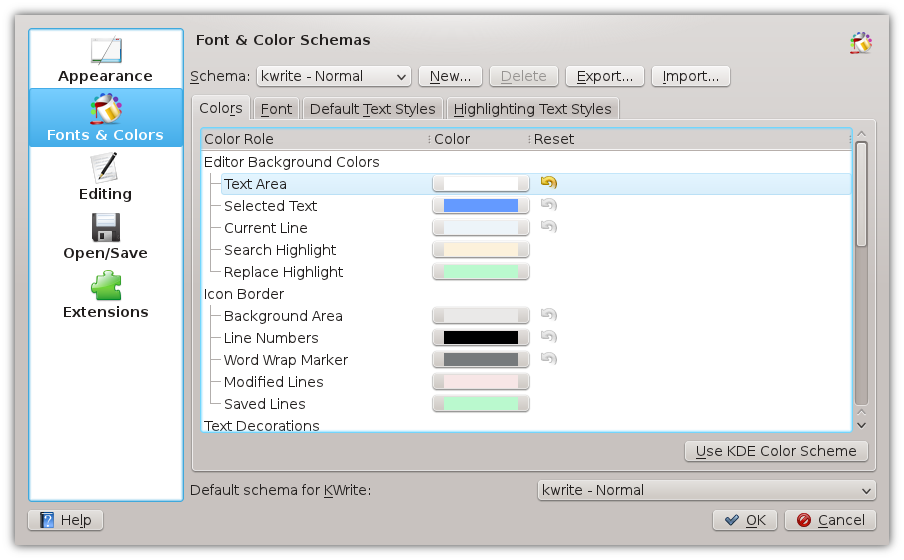
    The new implementation uses a QTreeWidget along with a custom delegate to draw the colors button and reset icon. It would be nice to have an appearance of the categories like in systemsettings, or like in dolphin. Dolphin probably uses a KCategorizedView, which in turn uses KCategoryDrawer. KCategoryDrawer could be used, but needs fine tuning in order to make it look nice. Does someone know how systemsettings draws the nice shaded backgrounds of the categories?

    About

    Dominik is a PhD student at the Control Theory and Robotics Lab, TU Darmstadt, as part of the Research Training Group GKMM (GRK1362). My research focuses on state estimation in distributed systems. As hobby, I contribute to the KDE project and work on the Kate application and editor component.

    http://www.kate-editor.org

    4 Responses to Color Settings

    1. March 1, 2012 at 18:35

      Great work! Though I’d add back the beveling around the color rects in the color buttons, but I guess that’s just a personal preference.

    2. Robert
      March 1, 2012 at 23:44

      This is great news. An even greater improvement would be to add the ability to import color schemes from vim and textmate. That would handle all color management in one fell swoop.

    3. gregopet
      March 2, 2012 at 13:50

      What about Get Hot New Stuff support for Kate syntax highlighting files? Would it difficult to add that?

    4. efrey
      March 6, 2012 at 09:21

      Great! Thank you.