• Added “gq” (format text) command for the Vi Input Mode

    by  • August 12, 2011 • Common, KDE, Users • 4 Comments

    It’s been a nice week here in Berlin at the Desktop summit. I have even got some coding done. A command I often missed from Vim was the gq command that re-formats text based on your text width setting. For example, if you want to stick to a sixty-columns layout, you often have to re-format the text when adding or removing something, like in this screenshot where some text has been surrounded by HTML tags:
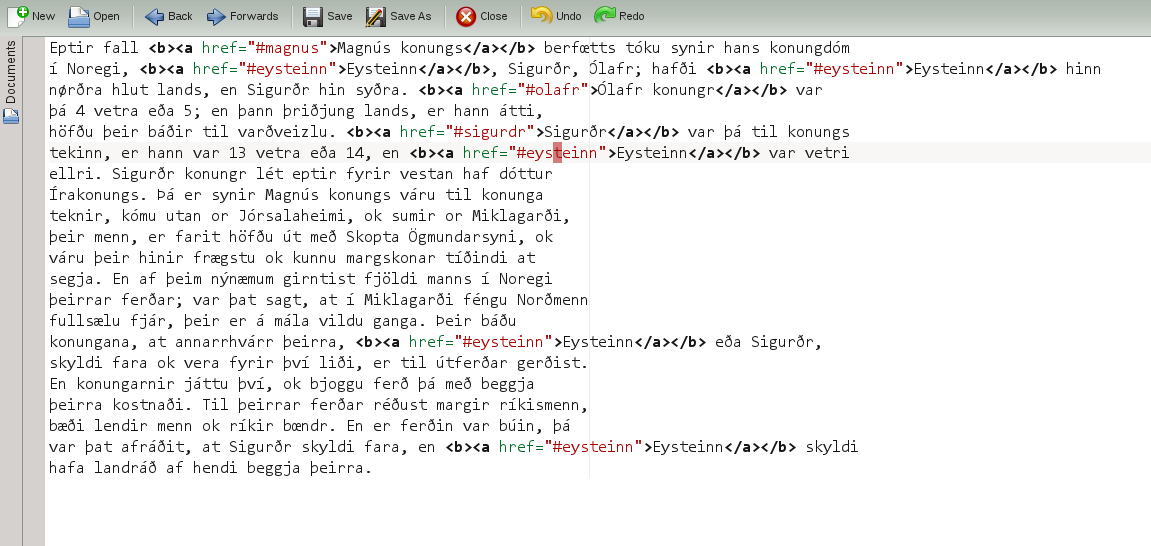
    By using the gq command, the text will be re-formatted and looks nice again:
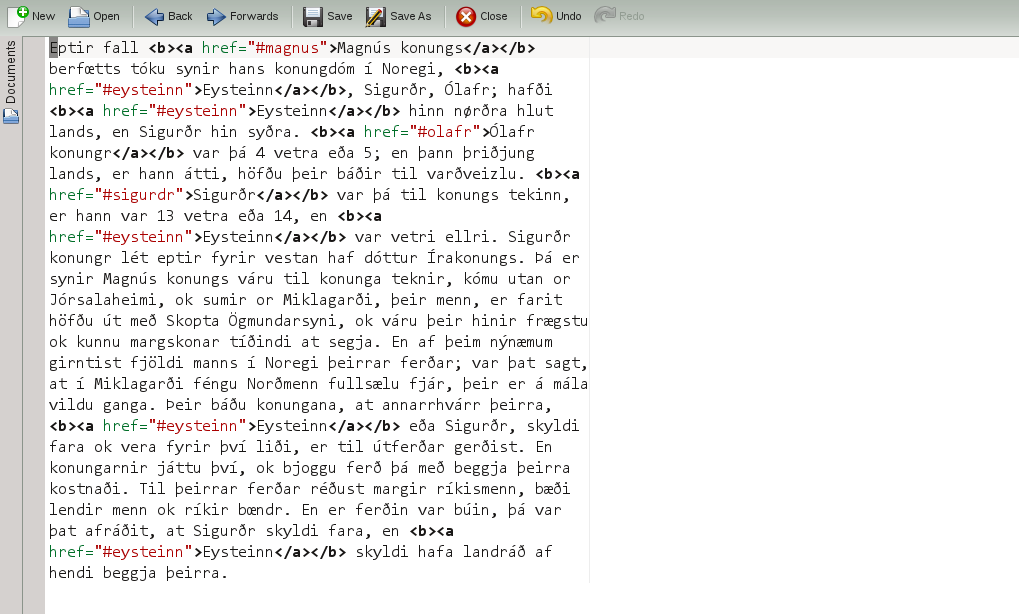
    I have implemented this command now, so this will be in Kate for KDE 4.8. I hope other users of the Vi Input Mode find it useful too. :-)

    4 Responses to Added “gq” (format text) command for the Vi Input Mode

    1. August 12, 2011 at 17:57

      Alternatively you can achieve that from GUI by using the tiny “Artistic Comment” plugin. “Tools” → “Configure Artistic Comment Styles” → enter a name (e.g. “wrap text (60)”), choose “no filling” (otherwise it will add spaces at the right) and choose the desired width → “Okay”. I wrote it for formatting long comments (license headers or long doc comments), but it can also be used for ordinary text wrapping.

    2. Simon Oosthoek
      August 12, 2011 at 20:33

      Thanks, I’ve missed that too at some point (I don’t always use the vi mode in kate).

    3. August 14, 2011 at 20:38

      Like! Like! Like! Like! Like!

      Awesome!

    4. August 14, 2011 at 20:39

      Awesome! This one was of the few remaining “missing features” of Vi mode that I use on a regular basis. Great work!