• Introducing Kate GDB Plugin

    by  • October 6, 2010 • Developers, Users • 14 Comments

    Have you, like me, had to switch to an external debugger or run raw gdb in the terminal plugin to debug the C/C++ application you develop with Kate? That might not be necessary any more. There is now a “GDB Plugin” in trunk that gives you the power of raw GDB with some QAction candy for the most common actions.

    I have always been a bit frustrated with not having a debugger directly in Kate, but too lazy/busy to start a debugger plugin project. Fortunately Ian Wakeling started this GDB plugin and got it off the ground. When I got introduced to it at Akademy, it triggered an itch in me to get this plugin into kdesdk and to add some features for the more point and click type of persons. As it seemed I had a bit more free time to spend on the plugin, Ian let me take over as maintainer.

    Main features of the plugin:
    - Jump to the corresponding file and line whenever gdb stops.
    - Insert and remove breakpoints.
    - Tool-bar buttons for the most often used actions like step into/over/out. Those actions can of course also be assigned to keyboard shortcuts.
    - Execution markers and breakpoint markers on the icon border.
    - A call stack tab for point and click navigation of the call stack.
    - Optional IO redirection to a separate tab.
    - Printing the value of the currently selected variable or expression. QStrings and friends are not supported (yet?).
    - And last but not least. A GDB console for the full power of GDB.

    And now the screen-shots
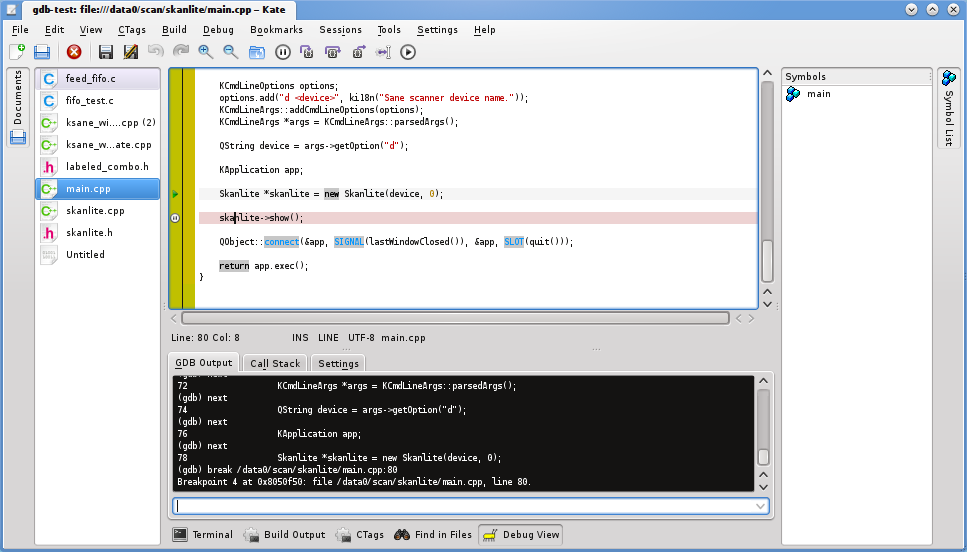
    GDB Console, execution marker and a breakpoint marker.
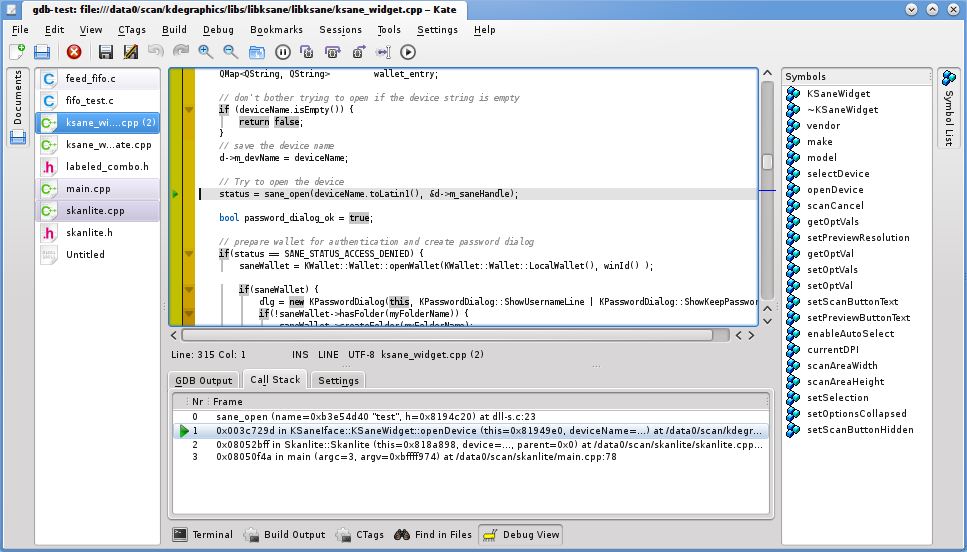

    The current call stack.
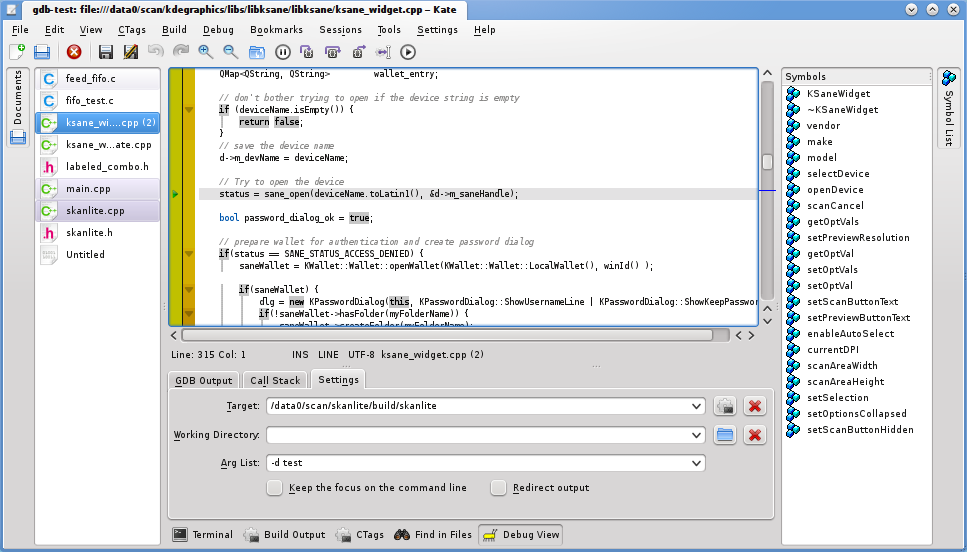

    Settings tab.
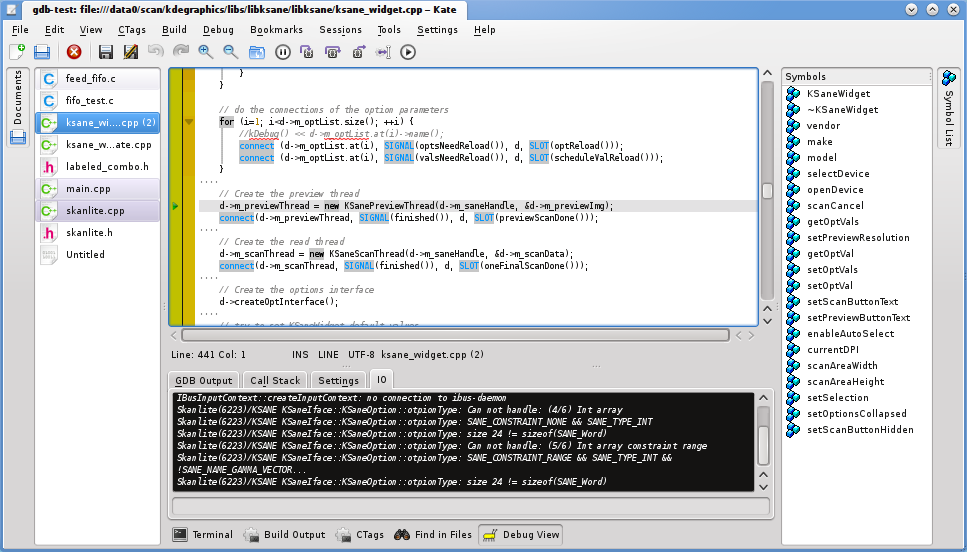

    Redirected IO.
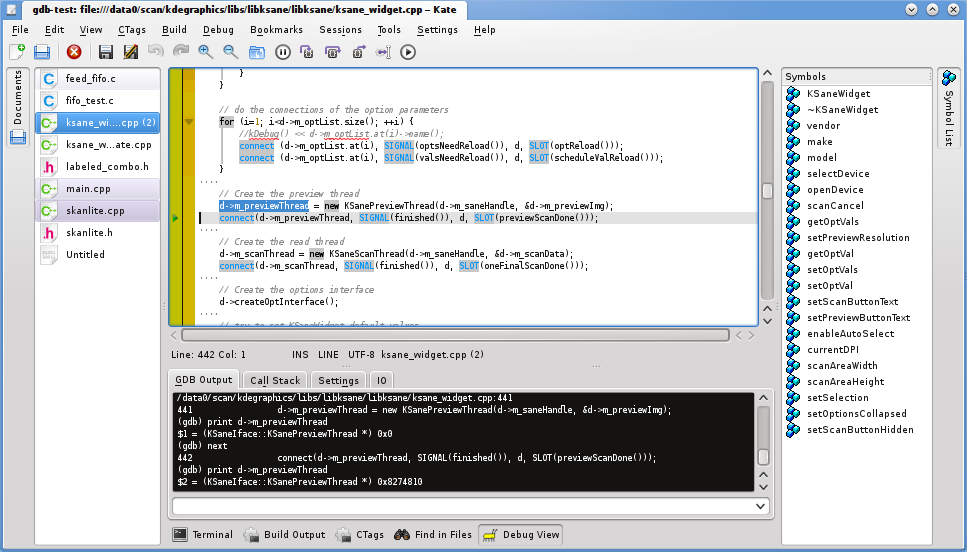

    The selected variable and the GDB value output.
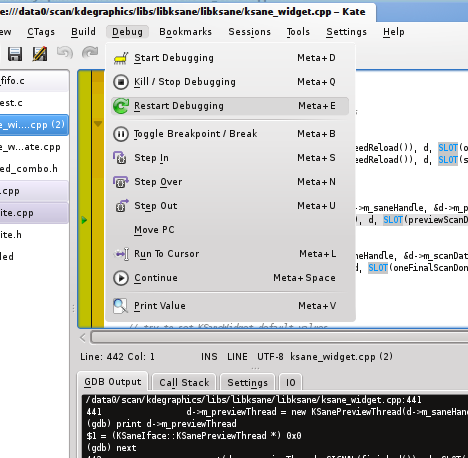

    The debug menu.

    About

    14 Responses to Introducing Kate GDB Plugin

    1. mutlu
      October 7, 2010 at 09:35

      This is awesome! Thanks a lot. :)

    2. Moritz
      October 7, 2010 at 14:41

      niiiiice :D

    3. dipesh
      October 7, 2010 at 19:50

      Just amazing. Lot of thanks from another developer who’s using Kate for his coding-adventures.

    4. Afiefh
      October 8, 2010 at 18:34

      Coding in Kate just got one hell of a lot easier. If this goes on it might rival even KDevelop!

    5. October 8, 2010 at 19:01

      To get QString etc. pp. printing going, you’ll have to setup pretty printing in your ~/.gdbinit

      KDevelop ships with the required pretty printer files, you should take a look there. Though imo they should not be copied all over the place…

      • Kåre Särs
        October 8, 2010 at 22:35

        Those pretty printer files are just brilliant!

        I have seen something similar somewhere, in kdelibs I think, but they needed separate commands for the different types of variables.

        I think Niko Sams qt merge request should not have been rejected. (http://qt.gitorious.org/qt/qt/merge_requests/699)

        Maybe kdesdk/scripts/ would be the correct place for them?

    6. November 10, 2010 at 05:38

      How can i install it in kubuntu ?

      • Kåre Särs
        November 10, 2010 at 12:11

        Alternatives:

        1) Wait until Kubuntu provides KDE 4.6 packages
        2) Install kate development files, grab the plugin sources from svn or git and compile it standalone
        3) Follow the instructions at http://kate-editor.org/get-it/ on how to compile all of kate.

    7. Robyn
      June 21, 2011 at 22:12

      I’m using the plugin now but gdb seems to do its own thing while my code sits there. How do I get the breakpoints and current location to show up in the actual editor? And coding in Kate is now even better- thanks!

      • Kåre Särs
        June 22, 2011 at 07:36

        Have you enabled the icon border (F6)?
        If you have and you are not moved to breakpoints whenthey are hit you might have hit a little bug where kate does not find the file to jump to. This should be fixed in trunk and will be part of KDE SC 4.7. The problem was/is relative file paths in stead of absolute paths in the application binary. CMake projects have absolute paths which makesiteasier to find and that was what I had tested with :)

    8. September 2, 2011 at 10:52

      Just amazing. Lot of thanks from another developer who’s using Kate for his coding-adventures.

      • Kåre Särs
        September 2, 2011 at 11:14

        I’m glad you like it :)

    9. January 19, 2012 at 00:01

      This is really sweet. I’ve always been a big fan of kate but now I am starting to use it as an IDE replacement for some of my daily work. The only short-coming I have run into with the GDB plugin is that I can not select which instance of gdb to execute.

      For instance; when doing embedded work, I want to run ‘arm-none-eabi-gdb’ instead of ‘gdb’, and sometimes pass some custom command line arguments such as a gdb init script for instance something like; “arm-none-eabi-gdb -x my-openocd-gdb-init.gdb” or so.

      So if, along the way you might find your way to provide us with a means to enable one to customize the gdb command and arguments, I think would really complete this feature.

      PS I’ve just made a quick and dirty hack where I fetch an environment variable with getenv() and plug it into the place of this statement; m_debugProcess.setShellCommand(“gdb”); I’m just starting to test that out, so far so good.

      • Kåre Särs
        January 19, 2012 at 08:16

        That is definitely on my todo list. :) If you check the KDE feature plan for 4.8 you will notice it there (“Add convenience options for remote debugging”). Unfortunately I did not manage to get it done in time for 4.8